Formerly the ‘Client Portal’, the Client Executive Overview includes the client’s assigned contacts, projects, work orders, and space.
Facilities Management
Client Tools
Direct Charges
Includes monthly billing and direct charge statements for FOP Administrators.
Facilities Request Portal
Access the Facilities Request Portal to submit a work order or a project request for new construction or renovation.
Work Order Inquiry
Query by work order, requestor, or building for status updates and notes here.
Active Projects List
Overview of active projects on campus.
Building Information Portal
Find directions and information regarding campus buildings here.
Client Information
Client Reports
University
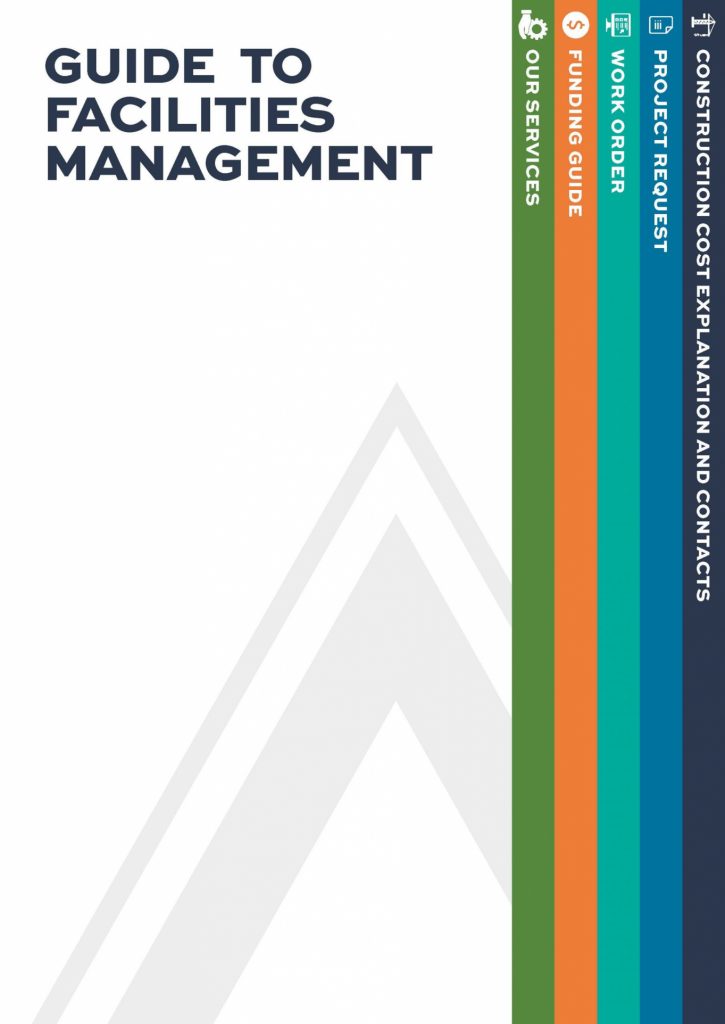
Guide to Facilities Management
- detailed list of our services
- comprehensive funding guide noting what Facilities does and does not fund
- step-by-step instructions on how to submit a work order and how to request a new project
- visual explanation of what drives the cost of building on campus
- and more!
FAQs
General:
Where is Facilities Management located?
- The main Facilities Management Complex is at 1161 West Samford Avenue.
What is Facilities Management responsible for?
- Facilities Management’s team of over 450 skilled professionals are responsible for coordinating design, construction, maintenance, and infrastructure projects across campus. Our wide-ranging services also include landscaping, handling and delivery of mail, access control, waste management and recycling, pest control, custodial services, utilities and energy, and even event support.
What is the difference between a project request and a work order request?
- Facilities Management executes work based on two basic criteria. Work orders are required for requests related to more immediate repairs and daily operating needs. Project requests are required for renovations and for planning, design, and/or construction of large-scale projects.
Whom do I contact if I have a compliment or complaint?
- Contact Facilities Management Quality Control (fmqc@auburn.edu).
What if I am not sure if the problem is for Facilities Management?
- Call Facilities Work Management – 334-844-HELP
Event Support:
Does Facilities Management rent tables and chairs for on-campus events?
- Items such as folding chairs, folding tables, risers, and podiums are available for university-sponsored events. Price information may be found on Facilities Management’s Event Support Requests for tables and chairs may be made via the Facilities Request Portal by selecting the Event Support icon.
What spaces on campus does Facilities Management rent for event use by groups?
- Facilities Management handles reservations for Eagle’s Nest South, Eagle’s Nest North, and Haley Center Lobby. For more information and/or to submit requests, visit Facilities Management’s Reservations
Does Facilities Management rent sound equipment?
- Facilities Management does provide A/V equipment for rent for university-sponsored events. Requests may be made via the Facilities Request Portal by selecting the Event Support icon.
Do I need a sound permit?
- Amplified sound permits for campus are managed by Facilities Management. For more information and/or to submit a permit requests, visit Facilities Management’s Reservations page.
I need extra trash cans and recycling bins for an event. Whom do we contact?
- Requests for extra trash cans and recycling bins may be made via the Facilities Request Portal by selecting the Waste / Recycling icon.
How do I request Facilities Management’s assistance for an event set up and how much will it cost?
- Requests for assistance with event setup may be made via the Facilities Request Portal by selecting the Event Support icon. Be as detailed as possible in the type of assistance you are requesting, and Facilities Management will follow up with the information you need.
Design and Construction:
How do I request a construction project or major or minor renovations?
- A project is initiated by clicking on this link, which can also be found on the Projects tab on the Facilities Management home page. https://fm.auburn.edu/request-renovation-new-construction/ After you’ve submitted your request, it will be reviewed by our Design Management leadership and assigned to a project manager. This individual will work with you directly to identify the project requirements and develop a preliminary scope of work, project costs, and schedule.
How can I get an estimate for a project or renovation, and is there a cost for an estimate?
- The first step is to initiate a project. This is done by clicking on this link, which can also be found on the Projects tab on the Facilities Management home page. https://fm.auburn.edu/request-renovation-new-construction/ In the description field, indicate that you are requesting an estimate only. After you’ve submitted your request, it will be reviewed by our Design Management leadership and assigned to a project manager. This individual will work with you directly to discuss how to obtain an estimate and if there are any charges for this service.
How do I check the status of a project?
- There is a website that lists all the active projects in various phases. You can filter by Client Group, Building, Phase, or Category. https://www.auburn.edu/administration/facilities/qlik/project-list/#/
How do I find out about construction work happening on campus?
- A list of all active projects is located on the Facilities Management website. You can filter by Client Group, Building, Phase, or Category. https://www.auburn.edu/administration/facilities/qlik/project-list/#/
- Each capital project has its own webpage: https://www.auburn.edu/administration/facilities/webapps/projects/index.php
- You can find our Construction Updates for all Capital projects at https://fm.auburn.edu/construction-updates/
Does Facilities Management have a yearly budget for renovation projects?
- The University is allocated an annual budget for renovation and repair projects. The budgeted amount varies from year to year. Our University Engineer uses Facility Condition Assessments to determine how these funds are invested.
What is a capital project?
- A capital project is a project to either construct new facilities or make significant, long-term renewal improvements to existing facilities. A project is considered to be a capital project if its budget is greater than or equal to $1,000,000. Capital projects require Board of Trustee approval and must be publicly bid for contract award.
I would like to bid on construction work for Auburn University. What do I need to do?
- Contractors need to be enrolled with Auburn University prior to bidding on any work. https://fm.auburn.edu/contractor/
- Once enrolled, you can find bid opportunities on the Bid Calendar. https://fm.auburn.edu/bid-calendar/
Where can I find information about construction outages?
- The FM Outage Map shows any active construction outages or upcoming outages. Clicking on the highlighted locations gives more information with details, durations and an enlarged map of the impact.
- https://fm.auburn.edu/campus-outage-map/
- You may also sign up to receive outage notifications for your organization’s buildings. Go to Facilities Management’s home page and scroll down to Receive Alerts. Select the building(s) in your college or department for which you would like to receive notifications, and the types of notifications you would like to receive.
Whom do I call if being disturbed by construction activity?
- Contact Facilities Management’s Construction Management reps whose contact information can be found at this link: https://fm.auburn.edu/contact/
Whom do I call if I have a safety or health concern related to construction activity?
- Contact Facilities Management’s Construction Management reps whose contact information can be found at this link: https://fm.auburn.edu/contact/. You may also contact Auburn University’s Risk Management and Safety department at 334-844-4870 or the Department of Campus Safety and Security at (334) 844-8888 or campussafety@auburn.edu for any health and safety concerns on campus.
Facilities Operations:
How do I submit a work order request?
- There are three ways in which you can submit a work order request:
- Call 334-844-HELP (4357)
- Enter a Request on the Facilities Request Portal (https://facrequest.auburn.edu/ready)
- Email Facilities Workorder at workmgt@auburn.edu
What types of issues should be submitted via a work order request?
- All types of repairs, event support, moving requests, small installations, etc. Other examples include:
- Clogged toilet, sinks, etc.
- Pest control
- Light bulb replacement
- Landscape maintenance
- Trash and Recycling
- Floor and carpet cleaning
- Event rentals (tables, chairs, tents)
- Damaged ceiling and floor tiles
- Restroom out of or low on supplies
- A space is too hot or too cold
- A building or area is not being cleaned
- A space is too hot or too cold. Provide details about conditions and rooms affected.
- A light is burned out in your office. Provide details about conditions and rooms affected
- When submitting work order, provide as much detail as possible about the issue or need
I need something fixed immediately - it's an emergency. What should I do?
- Call the Facilities Work Management 334-844-HELP
How can I find out the status of a work order I have submitted?
- Use the link that was sent in the email confirming the work order was created, or search work orders on the Work Order inquiry web page. (https://www.auburn.edu/administration/facilities/qlik/publicWO/#/)
I would like to get a quote to have something installed, repainted, mounted, etc. What do I need to do?
- Submit a work order for what you need done and indicate that you are requesting an estimate. You will be contacted to discuss the scope of work and associated costs. Work orders may be submitted in the Facilities Request Portal.
How long will it take to complete my work order request?
- Work order completion varies widely based on the nature of the work requested.
- Repair timeframes can vary based on:
- Emergency Repair or Routine Repair
- Availability of repair parts
- Availability of manpower and other needs across campus.
- Availability of contractors when outside support is needed.
Will I have to pay for repairs I submit via a work order request?
- Repairs for E&G (Education and General) funded buildings are not billed to clients.
- Auxiliary-funded buildings are billed.
- New installations will be billed to clients.
What if I need to edit or cancel a previously submitted work order?
- Call Facilities Work Management at 334-844-HELP.
How will I know when my work order request has been approved?
- The contact for the Work Order that was requested will receive an email from Auburn Facilities Management notifying them that a work order has been created. The email will have a link to check the status of your work order at any time.
How will I know if my work order request is completed?
- You will receive an email from Auburn Facilities Management confirming the completion of your work order. The email notifying you that the work has been completed will also provide a link to complete a client survey.
My work order is complete, but I still need assistance with the problem. What do I need to do?
- There are several ways to follow up when still needing assistance:
- Contact Facilities Maintenance. Use the Maintenance Building Zones web page (https://www.auburn.edu/administration/facilities/webapps/maintenance-bldg-zone/) to find points of contact.
- Call the Facilities Work Management 334-844-HELP
- Contact Facilities Management Quality Control (fmqc@auburn.edu)
Our restroom is low on or out of supplies, or out of order. Whom do I contact?
- You may submit your request via the Facilities Management Request Portal. Select the Cleaning icon. If time is of the essence, in the case of an out of order restroom for example, you may also email workmgt@auburn.edu or call 334-844-HELP.
I need something fixed. It is not an emergency. How do I contact Facilities?
- There are three options for contacting Facilities for a non-emergency work order request.
- Call the Facilities Work Management 334-844-HELP
- Enter a Request on the Facilities Request Portal (https://facrequest.auburn.edu/ready)
- Email Facilities Workorder (workmgt@auburn.edu)
Whom do I call with an emergency after Facilities Management offices are closed?
- Call Facilities Work Management at 334-844-HELP
My space is experiencing issues related to maintenance or broken equipment. Whom do I contact?
- There are three options for resolving maintenance or broken equipment issues:
- Call the Facilities Work Management 334-844-HELP
- Enter a Request on the Facilities Request Portal (https://facrequest.auburn.edu/ready)
- Email Facilities Workorder (workmgt@auburn.edu)
Does Facilities Management service overhead projectors?
- Facilities Management does not service overhead projectors. For this type of assistance, contact OIT (Office of Information Technology) at 334-844-4944. You may also Zoom, chat online, email, or report an issue by going to the Service Desk page on the OIT website. (https://auburn.service-now.com/it)
How do I request keys or building access?
- Access Control Forms for requesting a key, card access, or reporting a lost key are available on the Access Control webpage (https://fm.auburn.edu/access-control/) You may also call them at 334-844-9446 or email them at 4access@auburn.edu.
How do we remove furniture or other surplus items no longer needed?
- Auburn University Surplus Property handles requests for the removal of furniture or other surplus items no longer needed. Requests are made through Banner and there is certain information that may be needed: Description and quantity of item(s), current location of item(s), and Property tag, if applicable:
- Go to Banner
- Select Self Service
- Click on the Finance tab
- Click on Property Transfer, Select Surplus Service
- Complete and submit the form
- Should you have questions, call 334-844-4984.
I have a question about recycling or sustainability. Who do I contact?
- You may submit your questions via the Facilities Management Request Portal. Select the Waste / Recycling icon. You may also submit shredding requests and requests for extra trash cans and recycling bins for university-sponsored events via the Waste / Recycling icon in the Request Portal.
Custodial Services:
How do I request additional cleaning services?
- You may submit your request via the Facilities Management Request Portal. Select the Cleaning icon and provide as much detail as possible in the description field.
I have noticed that certain public areas need touching up or refreshing. Whom do I contact?
- You may submit your request via the Facilities Management Request Portal. Select the Cleaning icon. You will more than likely have to enter your location, so provide exact details in the description section for location and services needed.
Whom do I contact about waste and recycling or to request bins for my space?
- You may submit your questions via the Facilities Management Request Portal. Select the Waste / Recycling icon. You may also submit requests for extra trash cans and recycling bins for your office and/or university-sponsored events via the Waste / Recycling icon in the Request Portal.
Who do I contact if I need waste or recycling removed?
- You may submit your request via the Facilities Management Request Portal. Select the Waste / Recycling icon.
Mail Services:
How do I track down lost mail or packages?
- Contact campus mail services at 334-844-4860 or email them at cmail@auburn.edu
How do I send a certified letter?
- Contact campus mail services at 334-844-4860 or email them at cmail@auburn.edu
How do I mail a package to my student?
- Use the address format below for all letters and packages. NO ABBREVIATIONS OR NICKNAMES. Not adhering to the format below can delay delivery or result in your package being returned to its sender. Note this is only an example. Your student should be able to provide the dorm name/box and street address information.
Student Name: John Doe
Dorm Name/Box: Little Hall Box 301
Street # & Name: 304 Quad Drive
Auburn, AL 36849 Auburn, AL 36849
Billing:
How do I access my invoices from FM?
- Invoices are sent to the FOP administrator via email. FOP administrators can use the “Direct Charges” app located on the FM website at https://fm.auburn.edu/client-tools/.
What services are billed to my department?
- Repairs for E&G (Education and General) funded buildings are not billed to clients.
- Auxiliary-funded buildings are billed.
- New installations will be billed to clients.